
For greenhouses
Greenhouses
A hot afternoon doesn't have to cost you a harvest.
The same PENKEEP hardware, tuned for horticulture. Watches temperature, humidity and CO₂ inside the tunnel and switches fans, foggers and shade automatically. FS Manager logs plantings, feedings, sprays and harvests so a season's-worth of yield decisions is one PDF away.
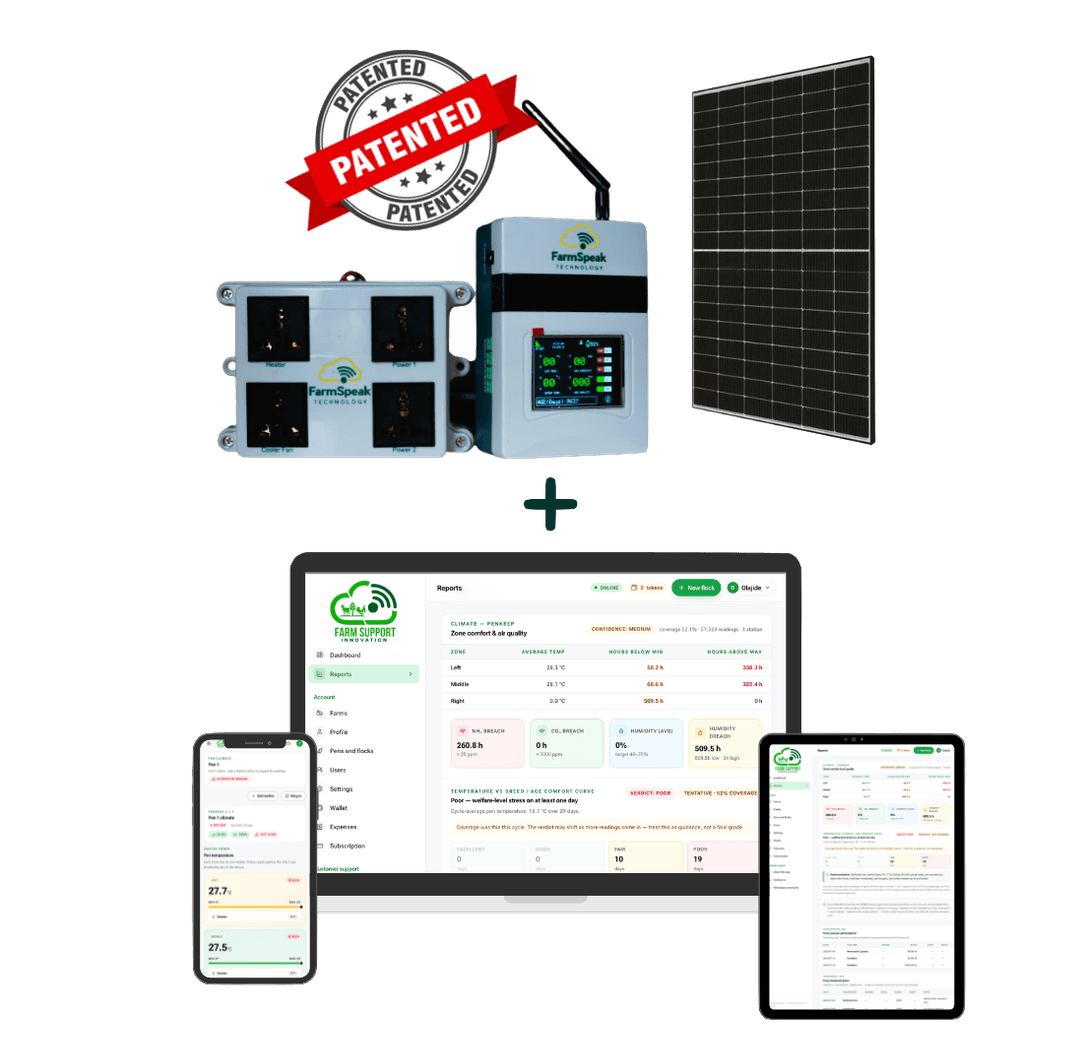
Hardware
PENKEEP greenhouse controller
Same PENKEEP board, tuned firmware. Reports canopy temperature, humidity and CO₂ every 30 seconds. Controls exhaust fans, foggers and shade nets autonomously. Multiple stations per tunnel for zoned control.
Software
FS Manager
Log plantings, feed schedule, spray records, staff hours and harvests per bed or per row. Compare cycle-over-cycle yield, cost per kg and margin. Export bank-ready reports for grower loans and buyer certifications.
What you can do
Every feature we ship for greenhouses
Zoned climate control
Run one PENKEEP per tunnel — or multiple per tunnel for zoned control on longer houses. Fans switch by zone, not by whole-house average.
Real-time heat / humidity alerts
When the tunnel drifts outside the crop's comfort band, an alert fires the same minute. Catch problems before wilt, blossom-end rot or fungal outbreaks.
Per-bed / per-row records
Track plantings, sprays, feed rate and harvest by the physical unit of your greenhouse. Compare which beds outperformed at end of season.
Spray + input register
Every fertigation, foliar spray and pesticide application logged with rate, timing and staff. Export for GAP certification or buyer audits.
Yield vs cost per kg
FS Manager rolls up every input cost against harvest weight so you know which crop, which bed and which season paid off.
Multi-tunnel, multi-staff
One farm, many tunnels, many crops. Grant staff role-scoped access so field workers log without seeing pricing.
How it works
From signup to first insight
Step 1
Map your tunnels
Add each tunnel, mark its beds or rows, and pick the crop. FS Manager scales pricing to the number of active beds.
Step 2
Install PENKEEP
One PENKEEP per tunnel for basic monitoring; multiple for zoned control on long houses. Our team handles the install for you.
Step 3
Log and optimise
Record plantings, sprays and harvests. Compare cycle-over-cycle to see which bed and which recipe put more naira in your pocket.
Metrics we track
The numbers that matter for this vertical
Temp band
18 – 28°C
Tomato / pepper comfort
Humidity
60 – 80%
Prevents fungal outbreaks
CO₂
400 – 1200 ppm
Photosynthesis-optimal
Alerts
Real-time
Heat / humidity spikes
Common questions
Before you buy
- Which crops does the greenhouse setup cover?
- The hardware and software are crop-agnostic — tomatoes, peppers, cucumbers, leafy greens and strawberries are all supported by the current comfort-band presets. Contact us if you're growing something we haven't seeded yet and we'll add the presets.
- Do I need one PENKEEP per tunnel or can one cover several?
- One per tunnel is the minimum for reliable readings — greenhouse microclimates vary too much across a shade net or between tunnels to share sensors. Long tunnels (30m+) benefit from two or three PENKEEPs for zoned fan control.
- Can PENKEEP switch my existing fans and foggers?
- Yes. PENKEEP ships with three switched outputs rated for standard 240V single-phase equipment (fans, foggers, shade motors). Larger loads route through a contactor our install team supplies.
- What happens if power drops?
- PENKEEP has a small battery that keeps sensor readings streaming for a few hours during a brief outage. It doesn't run the fans — those need mains — but you get an "offline" alert the moment power dies so you can react.
Start on Greenhouses today
Pay only for what you use — no subscription, no lock-in. Add PENKEEP hardware when you're ready for real-time monitoring.